How to Choose an EHR System: The Complete 2026 Buyer’s Guide
33.8% of nearly 10,000 surveyed family physicians were not satisfied with their EHR, while only 26.2% were very satisfied. This stat highlights an important consideration for medical practices: choosing software is not only about having digital patient records. The system also needs to support everyday clinical work without creating unnecessary pressure on staff.
Knowing how to choose an EHR system always starts with understanding what your practice requires and how those needs can change over time. While comparing the best EHR software, look beyond feature lists and consider usability, clinical workflows, integrations, pricing, and ongoing support. A system that works well for one practice might not be the perfect fit for another.
The selection process can become complicated when vendors offer different pricing models, features, and implementation timelines. Initial costs may not cover everything, either. Data migration, staff training, customization, and ongoing maintenance can all affect the total investment. These factors deserve attention before signing a contract.
A structured EHR selection guide can help practices compare options, identify potential challenges, and ask vendors the right questions. This guide covers the key factors to consider so your practice can make a more informed decision in 2026.
Why Choosing the Right EHR System Matters
During a vendor demonstration, an EHR may look good, but its real value becomes clear when your staff starts to use it every day. Can clinicians document visits without unnecessary steps? Can your staff find your patient records quickly? Will the system still meet your practice’s needs as it grows? All these questions are important to consider while choosing an EHR.
The right software should fit the practice, not force the practice to work around its limitations.
| Practice need | What can happen when the EHR is a poor fit |
|---|---|
| Clinical documentation | Complicated note-entry workflows can make routine documentation more difficult. |
| Patient records | Poorly organized information can make relevant details harder to locate. |
| Administrative operations | Disconnected workflows may lead to duplicate work and additional manual tasks. |
| Staff adoption | A confusing interface can make training harder and discourage consistent use. |
| Budget and growth | Unexpected implementation costs or limited scalability can create challenges later. |
Look Beyond Immediate Requirements
The best EHR system for medical practice relies heavily on its size, specialty, patient volume, and daily workflows. For example, a small primary care clinic may require straightforward documentation tools; on the other hand, a multispecialty group might require specialty-specific templates and more extensive integrations.
Furthermore, your practice also needs to evaluate usability, vendor support, and scalability. Your staff requires a system that can learn and use confidently, access to help when problems arise, and software that can accommodate future changes.
If you consider all these factors, it can be helpful for your practice to avoid preventable implementation challenges and choose an EHR that supports not only current operations, but also long-term goals.
Identify Your Practice’s EHR Requirements
Before comparing vendors, take a closer look at how your practice operates today. Identify the tasks that take too much time, the information staff struggles to find, and the systems that don’t work well together. These details will help you define what the new EHR needs to improve.
Involve clinicians, administrative staff, and practice managers in this process. Each group sees different workflow challenges, and their input can help prevent important requirements from being overlooked.
Clinical and Administrative Needs
Start by listing the tasks your practice needs the EHR to support. Use this checklist to organize your priorities.
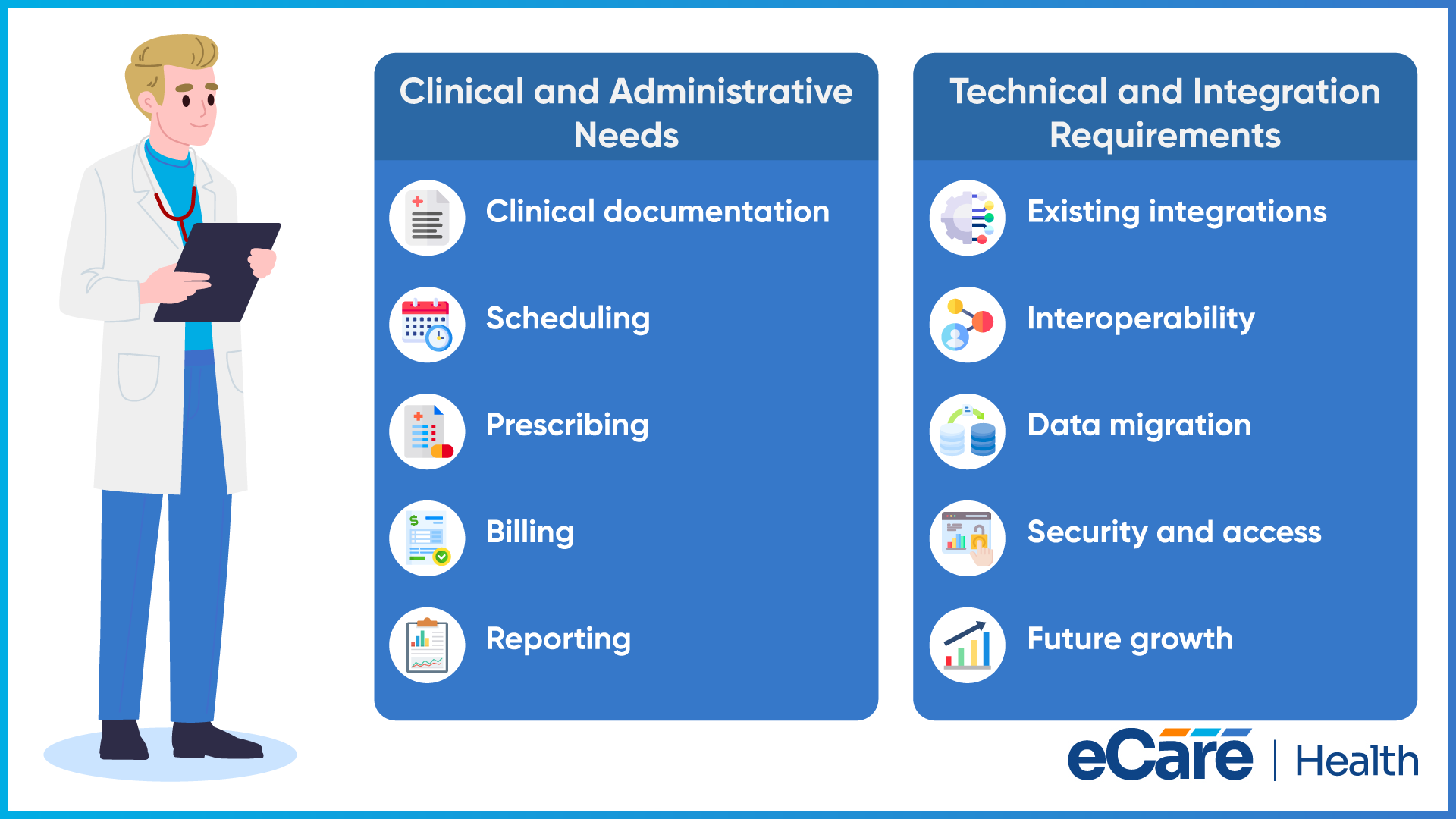
- Clinical documentation: Visit notes, medical histories, treatment plans, and specialty-specific templates.
- Scheduling: Appointment booking, cancellations, and calendar management.
- Prescribing: Medication orders and electronic prescribing workflows.
- Billing: Charge capture, claims workflows, and connections with billing systems.
- Reporting: Clinical, operational, and practice performance reports.
Your requirements will depend on your specialty and practice size. A primary care clinic may prioritize chronic disease documentation and preventive care, while a specialty practice may need more specific templates and clinical workflows.
Separate these requirements into two groups:
- Must-have: Features needed to support essential clinical and administrative tasks.
- Optional: Capabilities that could improve workflows but aren’t necessary for daily operations.
This distinction helps keep vendor comparisons focused on what your practice actually needs.
Technical and Integration Requirements
An EHR also needs to work with the other systems your practice relies on. Before selecting a vendor, review these technical requirements:
- Existing integrations: Identify connections needed for laboratories, pharmacies, billing tools, and other clinical systems.
- Interoperability: Check how the EHR exchanges patient information with external healthcare organizations and systems.
- Data migration: Understand how existing patient records will be transferred, validated, and made accessible.
- Security and access: Review user permissions, access controls, and safeguards for patient information.
- Future growth: Consider whether the system can support additional providers, higher patient volumes, or multiple locations.
Documenting these needs gives your practice a clear basis for evaluating vendors. It also helps you identify potential limitations and additional costs before committing to a system.
How to Choose an EHR System: Key Evaluation Criteria
Once your practice has identified its needs, it’s time to compare vendors. Focus on how well each system supports daily workflows, connects with existing technology, protects patient information, and fits your budget. Use the same criteria for every vendor so you can make a fair comparison.
Features and Functionality
Start with the features your practice will use regularly. Check whether the EHR supports clinical documentation, e-prescribing, appointment scheduling, and reporting. Ask vendors to demonstrate these functions using realistic clinical scenarios.
Also, confirm which features are included in the quoted price and which require additional fees. Prioritize capabilities that address your practice’s essential needs instead of paying for tools your team may rarely use.
Usability and Ease of Adoption
A system can offer extensive functionality but still be difficult to use. During a hands-on demonstration, ask clinicians and administrative staff to complete routine tasks, such as documenting a visit or locating a patient’s medication history.
Notice where users struggle, how many steps tasks require, and whether the layout feels intuitive. Ask about onboarding, training materials, and ongoing technical support, too. These factors can influence how comfortably staff adapt to the new system.
Interoperability and Scalability
Your EHR should work with the other systems your practice depends on. Check whether it can exchange information with laboratories, pharmacies, billing applications, and other healthcare systems. Ask vendors about available integrations, supported data exchange standards, and any additional connection costs.
Consider future needs as well. If you plan to add providers, expand services, or open another location, confirm that the system can accommodate that growth without requiring a major change later.
Security, Privacy, and Compliance
Patient information requires appropriate protection. Ask vendors about user permissions, authentication, encryption, and audit logs. Find out how backups are managed, what disaster recovery procedures are in place, and how security incidents are handled.
Also, clarify how the system supports applicable requirements, including HIPAA where relevant. Review the vendor’s documentation and responsibilities rather than assuming that purchasing an EHR automatically makes your practice compliant.
Pricing and Total Cost of Ownership
Look beyond the advertised subscription or licensing fee. The total cost may also include implementation, data migration, staff training, integrations, customization, and ongoing support.
Before signing a contract, ask about renewal terms, price increases, optional feature charges, and data export fees if you decide to switch vendors later. A clear breakdown of these expenses helps you compare the actual cost of each option and avoid unexpected charges.
The goal is to evaluate each EHR against the same priorities, weighing its functionality and usability alongside security, compatibility, and long-term affordability.
Compare EHR Vendors and Evaluate Their Proposals
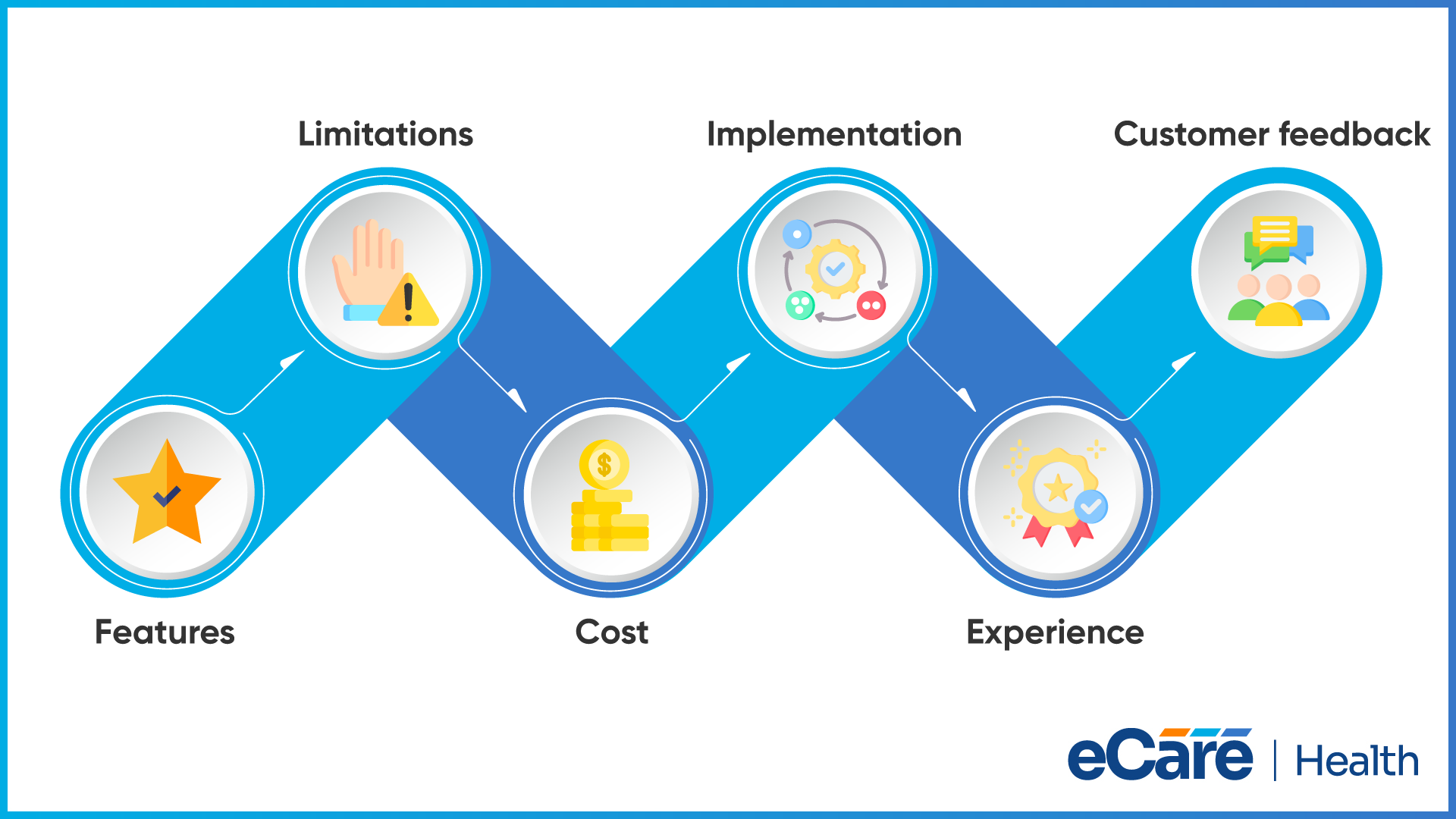
After defining your requirements and evaluation criteria, narrow your options to vendors that can meet your practice’s essential needs. Look beyond product demonstrations and compare what each vendor promises to deliver, how implementation will work, and what support your team can expect after launch.
Create a Vendor Shortlist
Start by setting minimum requirements that every shortlisted vendor must meet. These might include essential clinical features, required integrations, appropriate security controls, and compatibility with your existing workflows.
Use the same criteria to assess each option. Document the strengths, limitations, estimated costs, and potential implementation challenges for every vendor. It’s also worth checking the vendor’s experience with practices of a similar size or specialty.
Ask for references from existing customers to understand their experiences with implementation, training, and ongoing support.
Evaluate Vendor Responses and Contract
A vendor proposal should clearly explain what’s included in the package and what may cost extra. Review these details before comparing final prices:
- Features and services: Confirm which functions, integrations, training sessions, and support services are included.
- Implementation plan: Check the proposed timeline, data migration process, staff training, and responsibilities on both sides.
- Support commitments: Understand support hours, response times, and how technical issues are escalated.
- Contract terms: Review data ownership, export options, renewal conditions, price changes, and termination requirements.
Contract details deserve particular attention. A system may meet your current needs, but unclear data portability terms or expensive exit requirements can create difficulties if you change vendors later.
Make sure the answers are documented so your practice knows exactly what to expect before making a financial commitment.
Test EHR Systems Through Product Demonstrations
Vendor presentations can make an EHR look easy to use, but your team needs to see how it handles everyday work before making a final decision. A hands-on demonstration helps you assess whether the system fits your clinical and administrative workflows, where staff might face difficulties, and whether the promised features work as expected.
Whenever possible, involve clinicians, administrative staff, practice managers, and other decision-makers in the evaluation. Each group can test different tasks and raise concerns that may not be obvious during a standard presentation.
Prepare Questions for the EHR Demo
Before scheduling demonstrations, prepare a list of tasks your team wants each vendor to show. Use realistic scenarios rather than relying on prepared slides or general feature descriptions.
Ask the vendor to demonstrate how to:
- Document a patient visit and update medical history.
- Send an electronic prescription and review medication details.
- Schedule an appointment and manage changes.
- Find patient records and access relevant clinical information.
- Generate reports and complete routine administrative tasks.
Also, ask about customization options, integrations with your existing systems, staff training, and ongoing technical support. Clarify who will handle implementation, what responsibilities fall to your practice, and how patient data can be exported if you switch vendors later.
Identify Potential Red Flags
Pay attention to how vendors respond to questions, not just what they demonstrate. Some concerns may become apparent only when you ask for specific details or test a workflow yourself.
- Unclear pricing: Ask for a complete breakdown of subscription fees, implementation, training, integrations, and optional features. Unexplained charges can make the actual cost difficult to assess.
- Missing capabilities: If the EHR cannot support essential workflows or requires costly add-ons for basic needs, reconsider whether it is the right fit.
- Complicated workflows: Notice whether routine tasks involve unnecessary steps, confusing navigation, or manual workarounds.
- Vague security claims: Request clear explanations of safeguards, user access controls, audit logs, backups, and the vendor’s security responsibilities.
- Unclear contract terms: Review data ownership, data export, renewal conditions, price increases, and termination requirements before signing.
Don’t rush the decision because a demonstration went well. Give your team time to compare feedback, verify vendor claims, and resolve unanswered questions. The goal is to choose a system that works in real practice conditions, not simply one that delivers the most impressive presentation.
Plan for EHR Implementation and Long-Term Success
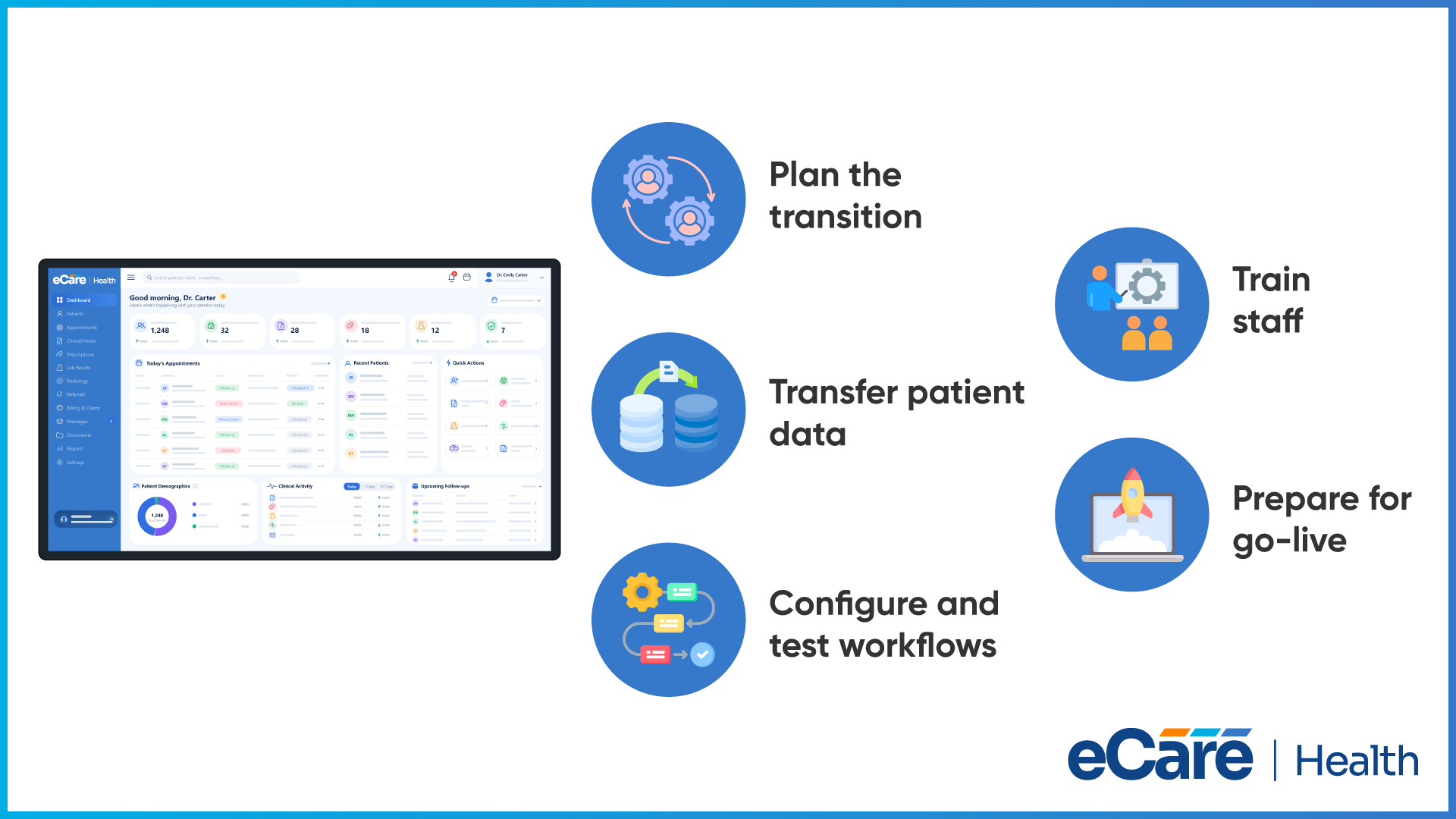
Choosing an EHR is only part of the process. The next challenge is moving your practice to the new system without creating unnecessary disruption to daily operations. Data must be transferred correctly, staff needs time to learn new workflows, and the system must be tested before it becomes part of routine patient care.
A clear implementation plan helps your practice prepare for these changes instead of trying to resolve everything at the last minute.
From Vendor Selection to Go-Live
Treat implementation as a series of planned stages rather than a single launch date.
Organize the transition. Work with the vendor to set a realistic timeline, assign responsibilities, and identify who will make decisions or resolve issues during implementation.
Prepare and transfer patient data. Identify the records and information that need to be migrated. Agree on how the transfer will be handled, then verify that important details are accurate, complete, and accessible in the new system.
Configure and test workflows. Set up templates, user permissions, and integrations according to your practice’s requirements. Before launch, test common tasks such as documenting visits, accessing patient histories, scheduling appointments, and sending prescriptions.
Train staff before launch. Provide role-based training so each team member can practice the tasks relevant to their work. Allow time for questions and make sure staff know where to get support.
Prepare for go-live. Confirm that essential workflows have been tested, outstanding issues have been addressed, and support arrangements are in place. Plan additional assistance for the first few days, when staff may need more guidance.
What Happens After Implementation?
The first few weeks can reveal problems that weren’t obvious during testing. Staff may struggle with a particular workflow, integrations may need adjustments, or additional training may be necessary. Set up regular check-ins to collect feedback and resolve recurring issues.
Review staff adoption, user satisfaction, support requests, documentation processes, and integration errors. Use these findings to decide where the system or workflows need improvement. As your practice adds providers, expands services, or changes its processes, revisit your original requirements to make sure the EHR continues to meet your needs.
Implementation shouldn’t be treated as a project that ends on go-live day. Ongoing review and staff feedback help your practice get more value from the system over time.
Conclusion
Choosing an EHR is about finding a system that fits your practice’s daily needs and supports its future growth. Define your requirements, compare vendors, test systems through hands-on demonstrations, and review the total cost before signing a contract. The lowest-priced option may not offer the usability, integrations, training, or support your team needs in the long run.
Take time to involve your staff, clarify vendor commitments, and plan for implementation before making a final decision. To explore EHR solutions that align with your practice’s workflows and goals, contact eCareHealth and discuss your practice’s needs with the team.
Frequently Asked Questions (FAQs)
1. How do you choose the right EHR system for a medical practice?
Start by identifying your clinical workflows, administrative needs, and budget. Compare vendors based on features, usability, integrations, security, and support. Test shortlisted systems through demonstrations and review implementation plans and contract terms before making a decision.
2. What factors should be considered when selecting EHR software?
Consider clinical documentation, scheduling, e-prescribing, billing, reporting, and ease of use. Check compatibility with existing systems, data security, implementation costs, and vendor support. Also, ensure the software can accommodate future changes in your practice’s size and requirements.
3. What questions should you ask an EHR vendor before signing a contract?
Ask about included features, integration costs, implementation timelines, data migration, training, and technical support. Clarify data ownership, export options, renewal terms, price increases, and termination conditions. Request written confirmation of important commitments before signing.
4. How much does an EHR system cost?
EHR costs vary by vendor, practice size, pricing model, and required features. Expenses may include subscription fees, implementation, data migration, training, integrations, and ongoing support. Request an itemized quote to understand the total cost rather than comparing subscription prices alone.
5. How long does EHR implementation typically take?
Implementation may take several weeks to several months, depending on system complexity, data migration, integrations, and training requirements. Practices should establish a realistic timeline with the vendor and allow sufficient time for workflow testing and issue resolution before launch.
6. What is the difference between EHR features and EHR requirements?
EHR features are the functions a system offers, such as e-prescribing, scheduling, and reporting. Requirements are the specific capabilities your practice needs. Defining requirements first helps you prioritize essential features and avoid paying for tools that don’t support your workflows.
7. How can a medical practice compare EHR vendors?
Shortlist vendors that meet your essential requirements and evaluate them using consistent criteria. Compare functionality, usability, integrations, pricing, security, and support. Product demonstrations and references from similar practices can help you assess each vendor’s suitability.
8. What should practices look for during an EHR demo?
Test everyday tasks such as documenting visits, reviewing patient histories, prescribing medications, and scheduling appointments. Assess navigation and workflow efficiency. Ask about integrations, training, support, and additional fees, and investigate missing features or unclear security and pricing information.
9. How can a practice avoid common EHR selection mistakes?
Define requirements before approaching vendors, involve staff in evaluations, and test realistic workflows. Don’t base your decision on price or presentations alone. Review total costs, integration capabilities, contract terms, data portability, and implementation plans before committing.
10. When should a healthcare practice consider replacing its existing EHR?
Consider replacement when persistent usability problems, limited integrations, rising costs, missing features, or poor vendor support affect daily operations. First, determine whether training, configuration changes, or upgrades could resolve these issues. If not, evaluate alternatives and plan the transition carefully.