EHR RFP Template: How to Write a Request for Proposal for Your EHR Search
Choosing an EHR system can leave your practice with more questions than answers. One vendor might offer the right features but with extra charges for integrations. Another may be a perfect fit for the budget but lack the support your team needs.
When every vendor presents information differently, it becomes difficult to compare proposals and decide which option offers the best fit. A clear way to manage this process is to prepare an EHR RFP template.
A Request for Proposal (RFP) is a document that explains what your practice requires and asks vendors to describe how their software meets those requirements. It also gives your team a more consistent approach to evaluate different options.
As vendors may differ in pricing, features, implementation, and support, this is especially helpful while exploring cloud-based electronic health records. Rather than depending only on product demonstrations or sales presentations, you can ask every vendor the same questions while comparing their responses side by side.
A well-prepared RFP must cover your clinical and administrative requirements, system integrations, data security, implementation timelines, staff training, ongoing support, and total costs. Additionally, it must also distinguish key features from optional ones so vendors understand your priorities.
This guide explains how to create an EHR RFP, what information and questions to include, and how to evaluate vendor proposals to find a system that fits your practice’s needs and budget.
What Is an EHR Request for Proposal?
An EHR request for proposal (RFP) is a formal document that a healthcare practice sends to software vendors while looking for a new electronic health record system. It explains what your practice requires and asks vendors to submit proposals describing how their software can meet all those requirements.
An RFP covers much more than just features your practice needs. It includes clinical needs like patient documentation and prescribing management, administrative needs like scheduling and billing, technical needs such as system integrations and data security, and budget expectations.
This helps vendors get a clear understanding of what your practice is actually looking for. Here, you might be thinking that an RFP is the same as a demo or general inquiry. Well, no! All three of these activities serve different purposes:
- RFP: A structured document that outlines requirements and asks vendors to respond with detailed proposals.
- Product demo: A presentation that shows how the software works and what features it offers.
- General vendor inquiry: An initial conversation to ask about pricing, features, availability, or other basic details.
For instance, a demo can show you how an EHR handles your patient appointments. On the other hand, an RFP asks the vendors to explain whether appointment scheduling meets your practice’s specific requirements, whether it integrates with existing systems, and what the feature costs.
With an EHR RFP, it becomes easy to organize all these requirements and keep questions consistent across vendors. This also makes proposals easier to compare and supports a more informed purchasing decision.
When Should a Healthcare Practice Use an EHR RFP?
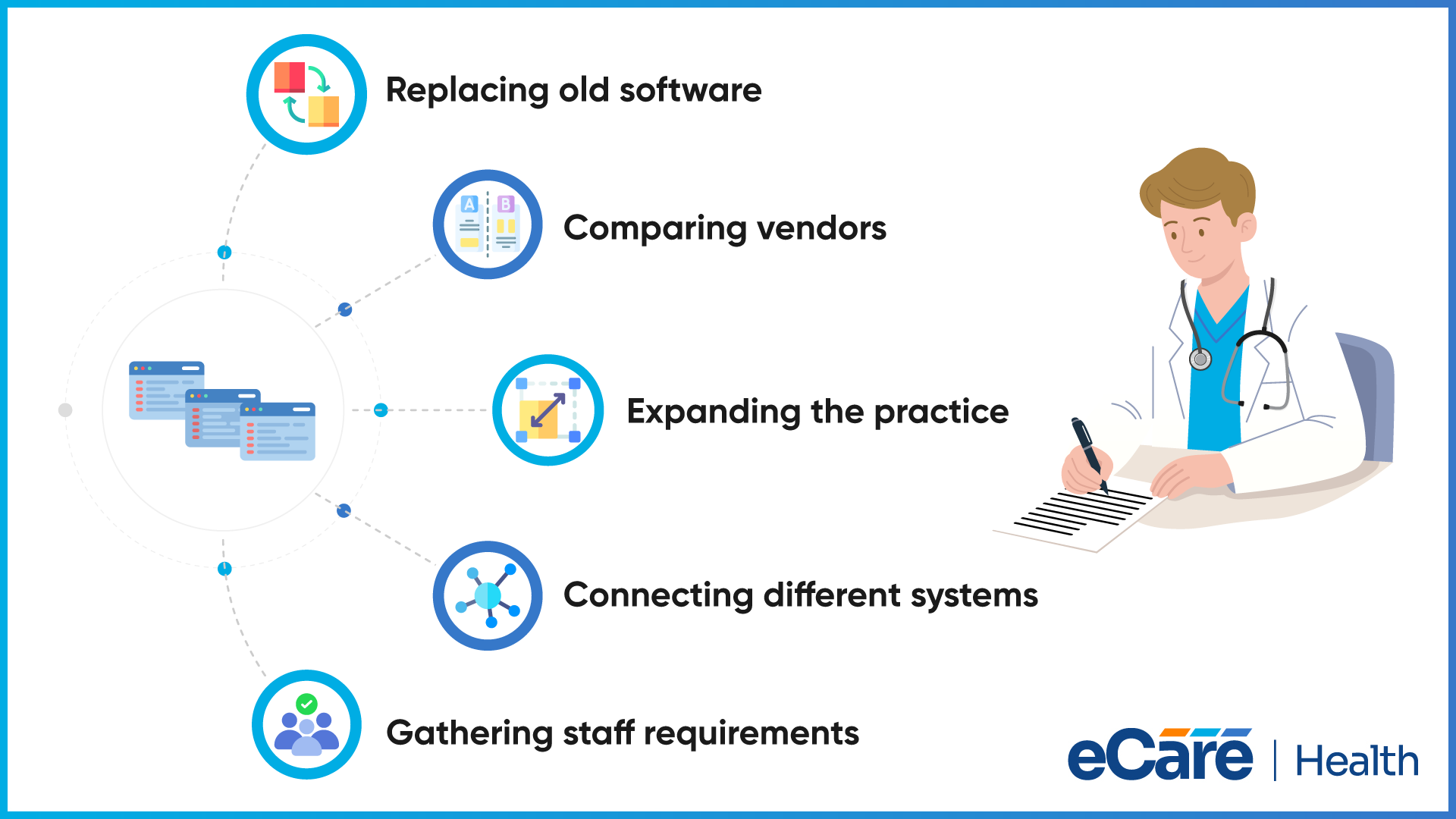
Your healthcare practice can use an EHR RFP when it needs to choose a new EHR system and wants to compare different vendors fairly. It is especially helpful for replacing an old system, considering several vendors, or planning to expand the practice.
For instance, your practice may want to replace its current EHR as it lacks important features or does not connect with its billing software. Here, an RFP helps your practice list all these issues and ask vendors how their systems can address them.
Moreover, an RFP is also useful for practices with multiple locations or more complex requirements. For example, a practice with many offices may require shared patient records, consistent workflows, and connections with laboratories, pharmacies, and billing systems.
Listing all these requirements in only one document helps vendors to understand what the practice exactly expects. This process also gives doctors, nurses, administrators, and billing staff a chance to share their requirements before a decision is made. This further helps the practice to consider how the new system will work for everyone.
But do All Practices Need a Formal RFP?
Well, no. A small clinic with straightforward requirements may not need a detailed RFP. Instead, it can prepare a simple requirements list including essential features, budget, integrations, training, and technical support.
The clinic can share this list with shortlisted vendors and compare their responses. This approach can save time and help the practice make an informed decision.
What to Include in an EHR RFP Template
A good EHR RFP template must explain what your practice requires from a new system and what you expect from the vendor. With the right details, vendors can prepare relevant proposals and make it easier to compare their responses.
Practice Background and Project Goals
Start with basic information about your practice like specialty, number of providers, locations, and current software. After this, explain what you are looking for in a new EHR system.
For example, if your practice wants to reduce documentation time, simplify billing, or make patient records easier to access, sharing all the above details help vendors to understand what you want to improve.
Clinical and Administrative Requirements
Secondly, list all the features your practice requires for daily work, such as patient documentation, appointment scheduling, e-prescribing, billing, reporting, and record management.
Then, separate all essential features from optional ones. This gives vendors a clear picture of which capabilities your practice must have and which would be useful but are not necessary.
Technical and Integration Requirements
Explain which systems the new EHR must connect with. This may include billing software, laboratories, pharmacies, or existing clinical applications. Additionally, describe your requirements for transferring records from your current system.
If you change vendors in the future, also include requirements for user access, data security backups, and exporting patient records.
Implementation, Training, and Support
Always ask shortlisted vendors how they will set up the system, transfer existing patient records, and prepare your staff to use it. Also, request an estimated implementation timeline, while clarifying which tasks your team will require to handle.
Additionally, you must ask about technical support hours, response times, system updates, and help available after the EHR goes live.
Pricing and Contract Requirements
Next, ask vendors to provide a clear breakdown of all costs like subscriptions, setup, data migration, integrations, training, and additional features.
Request all details about contract length, renewal terms, cancellation fees, data ownership, and record export. With this, your practice can get an idea of the full cost before making a commitment.
Vendor Qualifications and Response Instructions
Ask vendors about their experience working with similar healthcare practices. You can also request customer references and examples of previous implementations.
Finally, explain how vendors should submit their proposals, what documents they need to include, and the submission deadline. Giving every vendor the same instructions makes their responses easier to review and compare.
How to Create an EHR RFP Step by Step
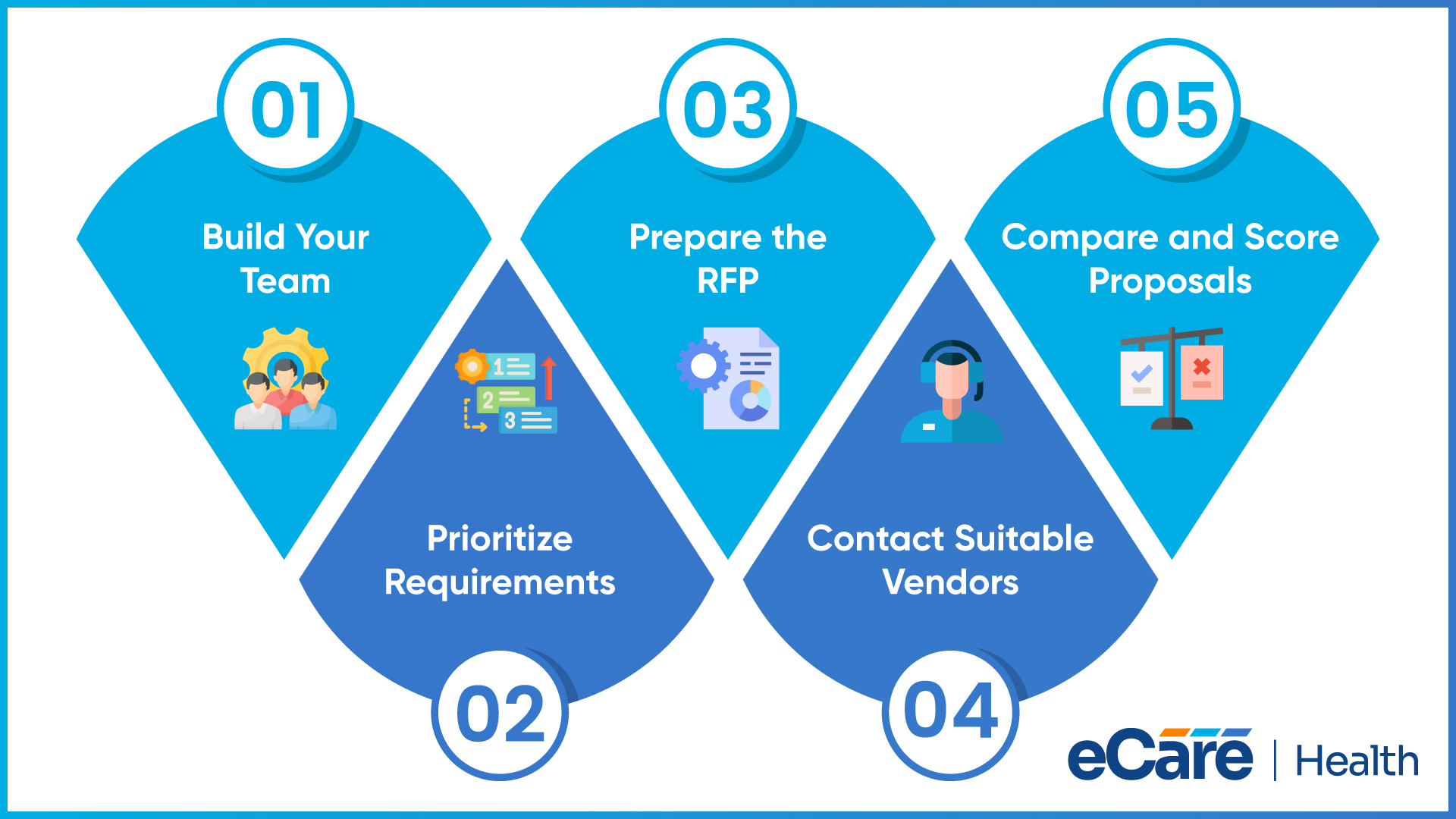
After knowing what your practice requires, the next step is to turn all those requirements into a clear RFP document.
Here are five key steps to follow while preparing and comparing vendor responses:
Step 1: Build Your Project Team
Start bringing people together who will use or manage the EHR system, including doctors, nurses, administrative staff, billing teams, IT staff, and practice leaders.
As each group has different requirements for the software, assign someone to collect all these requirements, communicate with vendors, and coordinate the final decision.
Step 2: List and Prioritize Your Requirements
Ask your team to share the features and tools it requires, and start to combine their feedback into one list while removing duplicate requirements.
After this, divide the list into three groups including essential features, preferred features, and optional features. This can help your shortlisted vendors understand your priorities, while making it easier to compare their proposals.
Step 3: Prepare the RFP Document
Organize all your requirements, such as practice background, software features, integrations, security, implementation, support, and pricing, into clear sections.
Include instructions explaining how vendors should respond, which documents they must provide, and when proposals are due. Also, decide how you will evaluate their responses before sending the RFP.
Step 4: Send the RFP to Suitable Vendors
Choose vendors whose software appears to match your practice’s main requirements. Send each vendor the same RFP, instructions, and submission deadline.
This ensures that every vendor has the same information and gives your team a fair basis for comparing their proposals.
Step 5: Review and Score Vendor Responses
Once the proposals arrive, compare each response against your requirements. You can use a scoring sheet to rate vendors on features, usability, integrations, security, support, and cost.
Note any missing answers, extra charges, or limitations. Follow up with vendors when something is unclear before moving forward with your shortlist.
EHR RFP Questions to Ask Vendors
Asking every vendor the same questions makes it easier to compare their answers and identify which system best fits your practice. Use the following questions to understand what each vendor offers, what it costs, and what support you can expect.
Product and Functionality Questions
- Does the system meet our clinical and administrative needs?
- Which features are included in the standard package, and which require additional fees?
- Can the system support our specialty and daily workflows?
These questions help you check whether the software meets your team’s needs without paying extra for features you expected to be included.
Integration and Security Questions
- Can the EHR connect with our existing healthcare applications, such as billing software, laboratories, and pharmacies?
- What security measures protect patient information?
- How are data backups handled, and how can records be recovered if data is lost?
The answers help you understand how well the system will work with your existing tools and how the vendor protects patient records.
Implementation and Support Questions
- How long will implementation take, and what tasks will our practice need to handle?
- What training is provided for staff?
- What technical support is available after the system goes live?
These questions help set clear expectations about setup, staff preparation, and help with technical issues.
Pricing and Contract Questions
- What is the total cost, including setup, data migration, training, integrations, and recurring fees?
- Can we export our patient records if we switch vendors?
- What are the contract renewal, cancellation, and termination terms?
Clear answers help your practice understand the full cost and avoid surprises after signing the agreement. Record the responses so your team can compare vendors using the same criteria.
How to Evaluate EHR RFP Responses
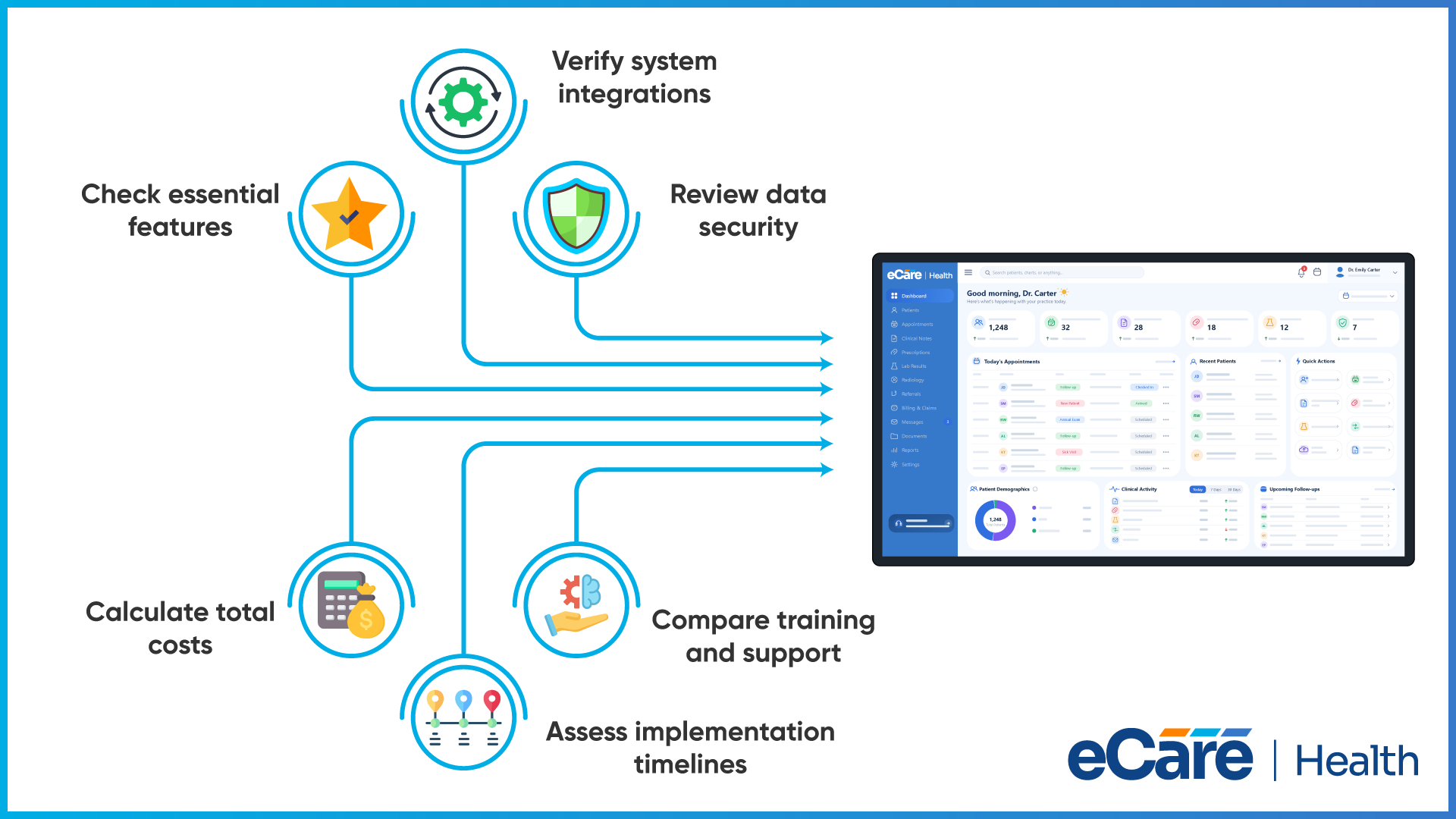
Once vendors submit their proposals, the next step is to compare their answers and decide which options best fit your practice. Instead of choosing a vendor based on price or a few attractive features, review each proposal against the requirements you listed in your RFP.
Compare Vendors Using the Same Criteria
Create a scoring sheet to evaluate every vendor using the same criteria. You can rate each area on a scale of 1 to 5, where 1 means the vendor does not meet your needs and 5 means it meets them very well.
Consider these areas:
- Features: Does the system support your clinical and administrative needs?
- Compatibility: Can it work with your existing software and healthcare applications?
- Security: Does the vendor explain how patient information is protected?
- Implementation: Is the proposed setup timeline realistic for your practice?
- Training and support: Will your staff receive the help they need?
- Cost: Are the initial and ongoing costs within your budget?
Give more weight to the areas that matter most to your practice. For example, a practice that relies on several connected systems may give integration capabilities a higher score weight.
Follow Up on Missing Information
If a proposal leaves questions unanswered, ask the vendor for clarification. Request evidence or supporting documents when needed, especially for security claims, integration capabilities, and service commitments. Don’t assume a feature is available simply because it was mentioned during a sales conversation.
Look Beyond the Lowest Price
The cheapest proposal may not offer the best overall value. Additional fees, limited support, or expensive integrations can increase costs over time. Compare the full cost alongside features, usability, and service quality.
The goal is to select the vendor that meets your practice’s most important requirements and offers the best balance of functionality, support, and long-term cost.
Conclusion
Choosing an EHR system becomes easier when your practice knows what to look for and how to compare vendors. A structured RFP helps you explain your requirements clearly, ask every vendor the same questions, and review proposals using consistent criteria. This makes it easier to identify gaps and understand what each vendor offers.
Before sending your RFP, tailor it to your practice’s clinical workflows, existing software, integration needs, and budget. Focus on the features your team needs most, but also consider implementation, training, ongoing support, and long-term costs. Clear requirements help you make a more informed decision and avoid surprises later.
If you need guidance on evaluating healthcare software or defining your technical requirements, connect with our healthcare technology experts to discuss your practice’s needs.
Frequently Asked Questions (FAQs)
1. What is an EHR RFP template?
An EHR RFP template is a ready-made document that helps healthcare practices explain their needs when looking for EHR software. It covers requirements such as features, integrations, pricing, implementation, training, and support, making it easier to compare vendor proposals.
2. Why should a healthcare practice use an EHR request for proposal?
An EHR request for proposal helps a practice communicate its needs clearly and compare vendors using the same criteria. It also helps identify differences in features, pricing, integrations, and support before making a purchasing decision.
3. What should be included in an EHR RFP?
An EHR RFP should include the practice’s background, project goals, clinical and administrative requirements, integration needs, data security expectations, implementation plans, training, technical support, pricing, and contract terms. It should also include submission instructions and a deadline for vendors.
4. How do you create an RFP for EHR software?
To create an RFP for EHR software, form a team to identify the practice’s needs, list and prioritize requirements, and organize them into a clear document. Send the same RFP to suitable vendors, set a response deadline, and compare their proposals using consistent evaluation criteria.
5. What questions should be included in an EHR RFP?
An EHR RFP should ask about software features, specialty-specific workflows, integrations, security measures, data backups, implementation timelines, staff training, and ongoing support. It should also ask for a complete cost breakdown, contract terms, and details about exporting patient records if the practice changes vendors.
6. How many vendors should receive an EHR RFP?
There is no fixed number of vendors that should receive an EHR RFP. A practice can start with three to five suitable vendors, provided they meet its essential requirements. This gives the team options to compare without making the evaluation process unnecessarily time-consuming.
7. How should healthcare practices evaluate EHR RFP responses?
Healthcare practices should compare vendor responses against their essential requirements, using a scoring sheet to assess features, integrations, security, implementation, support, and total cost. They should follow up on missing information, check additional fees, and choose the vendor that best fits their needs and budget.