EHR Implementation Guide: 10 Steps to a Successful Go-Live
Your new EHR system is ready to launch, but are the staff, patient records, and daily workflows ready for the change?
If patient records haven’t been transferred properly or your staff doesn’t know how to use the system, even routine appointments can become tricky to manage. All these problems together can delay the launch and make the transition stressful for your entire practice.
A successful EHR implementation goes beyond just setting up the software. Your practice must prepare teams, organize existing patient data, review workflows, and test the system before using it for daily care.
Equally important is planning the budget, so you can review EHR software pricing earlier and better understand the costs involved. If you follow a clear EHR implementation guide, your team can manage all these tasks step by step, rather than trying to handle everything at once.
With this approach, practices can work through the key requirements before moving to the new system. The following 10 steps explain how to implement EHR in a medical practice, from initial planning and staff preparation to data migration, testing, and EHR go-live.
What Is EHR Implementation and Why Does It Matter?
EHR implementation is the process of planning, configuring, deploying, and integrating an electronic health record system into your practice. It involves preparing your patient data, setting up workflows, training your staff, and testing the system before the launch.
Implementation affects how seamlessly your staff can document visits, access patient information, and manage all daily tasks. For instance, if the system doesn’t match clinical workflows, your staff may need extra time to complete routine activities.
That’s why implementation goes beyond installing software. With proper planning, accurate data migration, and staff preparation, it becomes easier for your practice to identify potential issues before launch and make the transition easier for everyone involved.
10 Steps to a Successful EHR Implementation
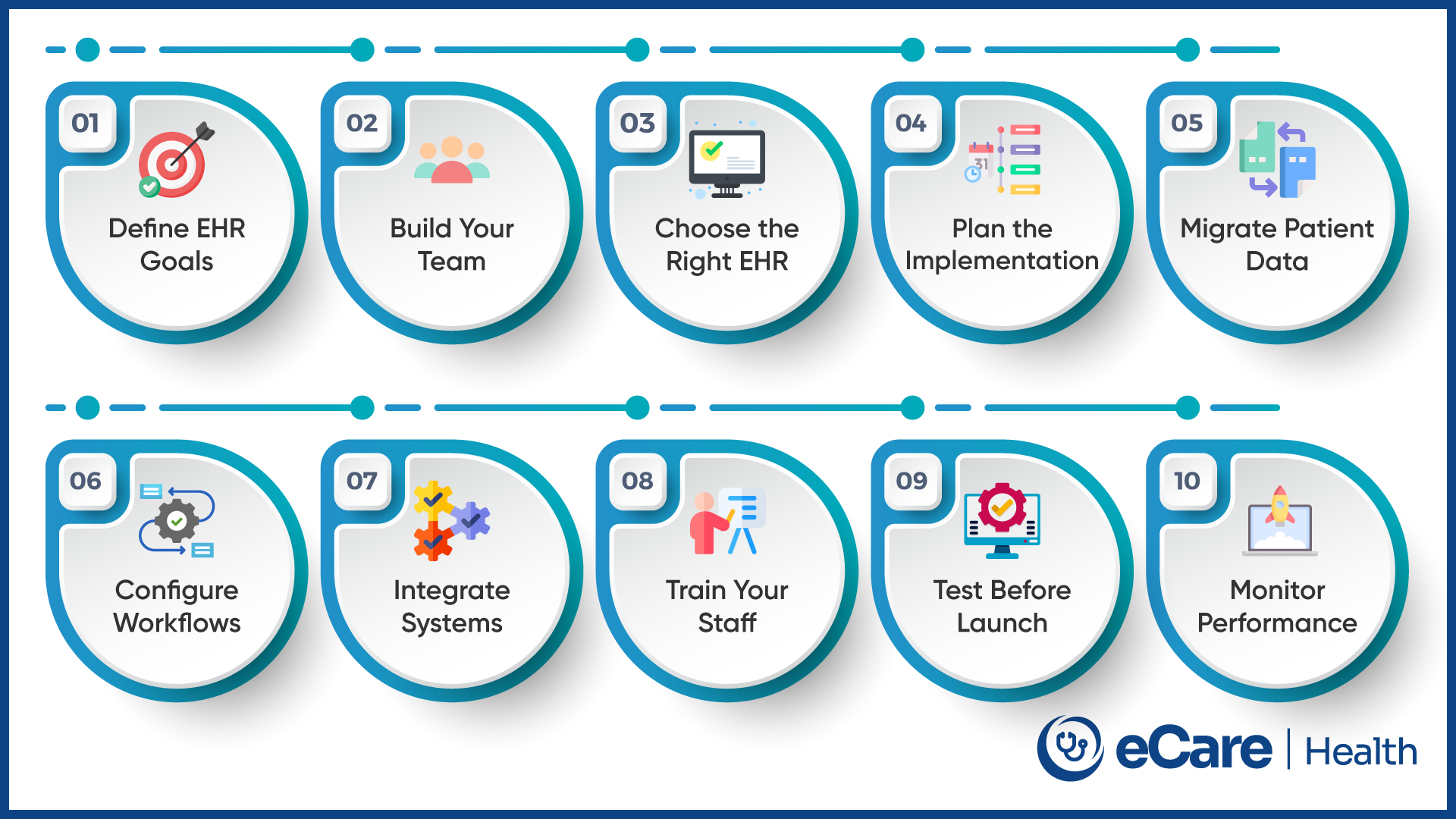
A successful EHR implementation depends heavily on how well each stage is planned and executed. Here are the 10 steps that help your practice prepare your staff, manage technical requirements, and address potential issues before they disturb your daily operations.
Step 1: Define Your Practice’s Goals and Requirements
Start by identifying the challenges your practice wants to address, for example, time-consuming documentation, disconnected systems, or difficulties accessing patient records. Along with this, set clear goals and measurable success criteria, which help to evaluate whether the implementation meets your requirements.
Step 2: Build an EHR Implementation Team
Assign responsibilities, identify decision-makers, and establish clear communication channels to bring together practice leadership, clinicians, administrative staff, and IT support. This approach helps everyone understand their role across the implementation process.
Step 3: Select the Right EHR System
Start by comparing systems depending on clinical features, ease of use, integrations, vendor support, and scalability. Additionally, review pricing, contract terms, and implementation requirements to understand the full commitment before selecting a solution.
Step 4: Create an Implementation Plan and Timeline
Break the implementation into manageable stages like configuration, data migration, staff training, testing, and go-live. Assign responsibilities and deadlines to each stage, allowing enough time to resolve issues before moving forward.
Step 5: Prepare and Migrate Patient Data
Review existing records and identify the information that needs to be transferred. Clean and organize the data before migration, then validate the transferred records to check for missing, inaccurate, or incorrectly matched information.
Step 6: Configure the System and Workflows
Set up clinical templates, user roles, permissions, and system settings according to your practice’s needs. Review everyday workflows to ensure the EHR supports how staff document visits, manage appointments, and access patient information.
Step 7: Integrate Existing Healthcare Systems
Identify the systems your EHR needs to connect with, such as billing platforms, laboratories, pharmacies, and scheduling tools. Test each integration to confirm that information is exchanged accurately and that staff do not have to rely on unnecessary manual data entry.
Step 8: Train Staff Before Go-Live
Provide role-specific training so clinicians, administrative teams, and other users can practice their routine tasks before launch. Hands-on exercises can help staff become familiar with the new workflows and identify areas where additional guidance is needed.
A structured approach to training staff on a new EHR system can also help practices prepare for the transition without unnecessarily disrupting productivity.
Step 9: Test the System and Prepare for Go-Live
Test common workflows, user permissions, integrations, migrated records, and reports before launch. Use an EHR implementation checklist to track outstanding tasks, resolve critical issues, and establish downtime and escalation procedures before the system goes live.
Step 10: Launch the EHR and Monitor Performance
Provide additional support during the initial go-live period so staff can get help with unexpected issues. Track system problems, staff feedback, workflow performance, and progress toward your original goals. Use these findings to identify areas that need further training or adjustment.
Understanding the steps in the EHR implementation process helps practices see how each stage connects to the next. Completing these steps systematically can make the transition more manageable and help the team address problems before they become larger operational challenges.
Common EHR Implementation Challenges to Prepare For
Even with a clear implementation plan, healthcare practices may encounter issues that affect timelines, staff adoption, and daily operations. Understanding these challenges and how to address them can help teams prepare for a smoother transition.
| Common challenge | How it can affect implementation | How to address it |
|---|---|---|
| Data Migration Issues | Missing, inconsistent, or incorrectly mapped records can make patient information difficult to access or unreliable. | Review existing records, clean the data, and validate migrated information before go-live. |
| Staff Resistance and Adoption | Staff may struggle with unfamiliar workflows or feel uncertain about changing established routines. | Explain the reasons for the change, provide practical training, and encourage staff feedback. |
| Integration and Technical Problems | Compatibility issues may interrupt information exchange with billing platforms, laboratories, pharmacies, or other systems. | Test integrations before launch and resolve technical issues early. |
| Workflow Disruptions | Staff may take longer to complete routine tasks while learning the new system, temporarily affecting productivity. | Provide hands-on practice and additional support during the initial launch period. |
| Timeline and Budget Changes | Unclear requirements or unexpected technical work may delay implementation and increase costs. | Set realistic milestones, define responsibilities, and allocate a contingency budget. |
Preparing for all these challenges helps your practice address potential problems before they affect your daily operations. It also reinforces why planning, testing, and staff preparation are important parts of the EHR implementation process.
How Long Does EHR Implementation Take?
The EHR implementation time usually relies on your practice’s size, system complexity, data migration requirements, integrations, and staff readiness. For example, a smaller practice with simpler requirements can complete the process faster compared to a multi-location organization with complex workflows and multiple systems to connect.
The implementation typically involves these phases:
| Implementation phase | Key activities |
|---|---|
| Planning | Define requirements, assign responsibilities, and establish milestones. |
| Configuration | Set up system settings, templates, user roles, and workflows. |
| Data migration | Transfer existing patient records and verify their accuracy. |
| Staff training | Prepare users to complete their daily tasks in the new system. |
| Testing | Check workflows, integrations, access permissions, and migrated records. |
| Go-live | Launch the system and provide support as staff begins using it. |
Moreover, several factors can affect the timeline too. However, clear requirements, readily available data, timely decisions, and staff participation can keep implementation on track. On the other hand, data quality problems, complex integrations, limited training time, or unexpected technical issues can extend the schedule.
Instead of assuming every practice will follow the same timeline, establish realistic milestones for each phase and allow time to address problems. This helps the team prepare for launch without rushing important tasks that could affect daily operations.
How to Measure EHR Implementation Success
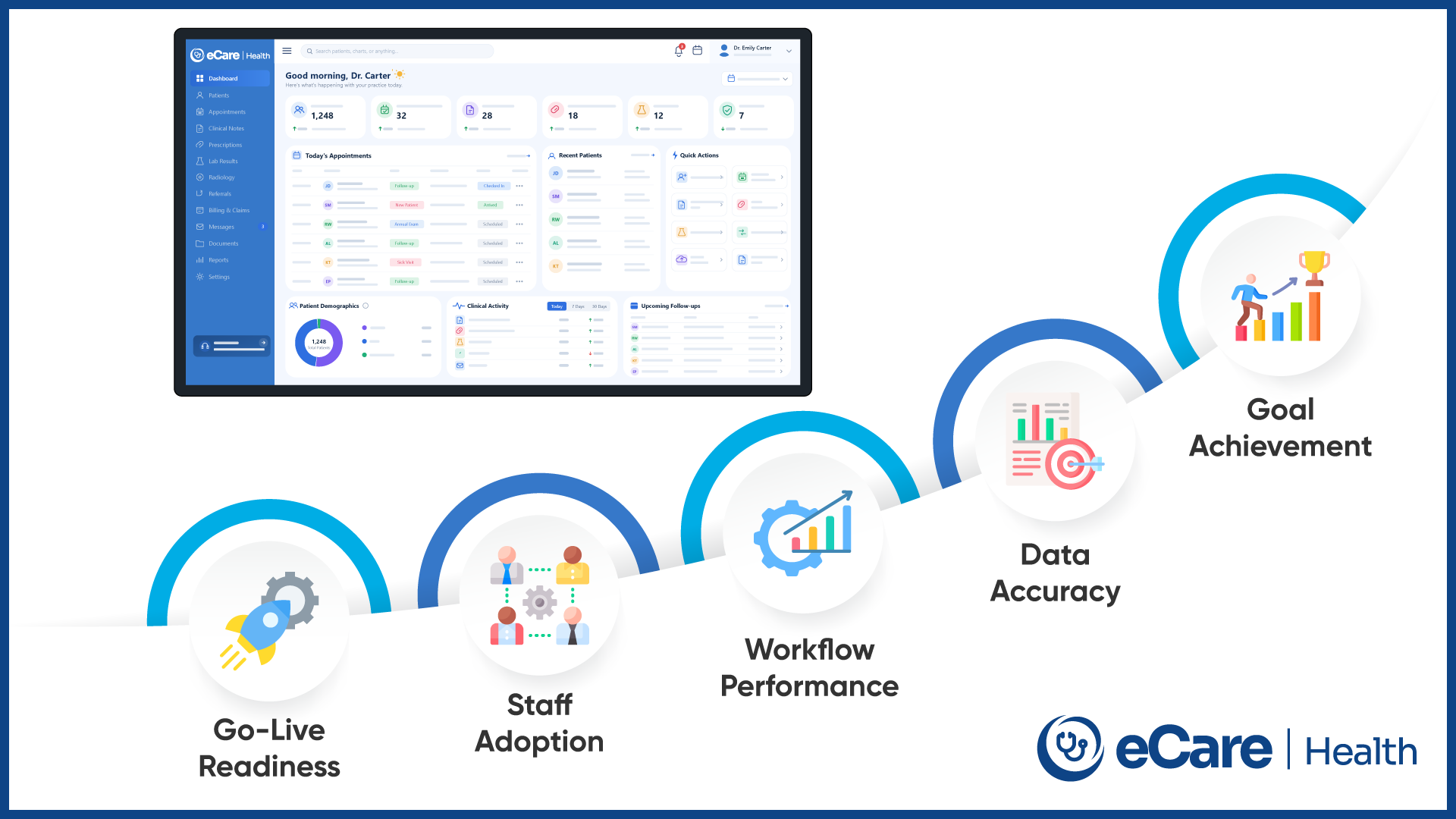
An EHR launch is not successful simply because the system is up and running. Practices also need to assess whether staff can use it confidently, daily workflows are functioning properly, and the system meets the goals established during planning.
Go-Live Readiness
Before launch, confirm that staff are trained, patient data is validated, workflows are tested, and required integrations are working. This helps identify gaps that could disrupt daily operations.
Staff Adoption
Monitor training completion, system usage, and staff feedback. If users struggle with specific tasks, additional training or workflow adjustments may be needed.
Workflow Performance
Review documentation completion, task turnaround times, and operational bottlenecks. These measures can help identify whether the new system supports routine work or creates unnecessary delays.
Data Accuracy and System Reliability
Track data migration errors, technical issues, discrepancies in patient records, and system downtime. Monitoring these areas helps practices identify problems that could affect access to information or daily operations.
Progress Toward Implementation Goals
Compare actual results with the objectives established during planning, such as improving documentation workflows or reducing manual tasks. Regular reviews help practices understand what is working and where further adjustments are needed.
Measuring these areas over time gives practices a clearer picture of how well the EHR supports their daily operations and where additional improvements may be necessary.
Conclusion: Understanding the Full Cost of an EHR System
A successful EHR implementation depends on careful planning, team coordination, accurate data migration, proper system configuration, and staff training. Testing before launch and providing support afterward also helps practices manage the transition and address issues as they arise.
However, implementation doesn’t end at go-live. Monitoring system performance, gathering staff feedback, and making ongoing improvements help ensure the EHR continues to meet the practice’s needs.
If you’re planning to implement a new EHR system, explore your options with eCareHealth to find a solution that fits your practice’s workflows and requirements.
Frequently Asked Questions (FAQs)
1. What is EHR implementation?
EHR implementation is the process of planning, configuring, and introducing an electronic health record system into a healthcare practice. It includes data migration, workflow setup, staff training, system testing, and ongoing support after launch.
2. What are the steps in the EHR implementation process?
The main steps include defining practice requirements, building an implementation team, selecting an EHR, creating a timeline, migrating data, configuring workflows, integrating systems, training staff, testing the software, and monitoring performance after go-live.
3. How do you implement an EHR system in a medical practice?
Start by identifying your practice’s needs and selecting suitable software. Build an implementation team, plan the timeline, prepare and migrate patient data, configure workflows, and train staff. Test the system thoroughly before launch and provide support during the transition.
4. How long does EHR implementation take?
The timeline varies depending on practice size, system complexity, data migration, integrations, and staff readiness. Practices with straightforward requirements may complete implementation sooner, while larger organizations with complex workflows may need more time for configuration, testing, and training.
5. What are the biggest challenges during EHR implementation?
Common challenges include inaccurate or incomplete data migration, staff resistance, integration problems, workflow disruptions, and unexpected costs or delays. Careful planning, clear communication, thorough testing, and practical staff training can help practices address these issues.
6. How can healthcare practices prepare staff for EHR go-live?
Practices can prepare staff through role-specific training, hands-on exercises, workflow demonstrations, and clear instructions. Giving users time to practice routine tasks and providing accessible support during the initial launch can help them adjust to the new system.
7. What should be included in an EHR implementation plan?
An implementation plan should include project goals, team responsibilities, software requirements, timelines, data migration, system configuration, integrations, staff training, testing, and go-live preparation. It should also cover budget estimates, risk management, and post-launch support.
8. How can a practice measure the success of EHR implementation?
Practices can measure success by tracking staff adoption, documentation completion, task turnaround times, data accuracy, system reliability, and progress toward implementation goals. Regular staff feedback and performance reviews can help identify areas that need further improvement.