Top EHR Implementation Challenges and How to Overcome Each One
Almost 56% of physicians reported that their EMR did not enhance patient safety, while 50% perceived their system as inefficient.
This number indicates a major challenge that many healthcare practices should consider while introducing a new system: technology alone cannot guarantee efficient daily workflows. For example, the way a system is introduced, configured, and used can make a huge difference to your everyday clinical work.
If your practice is preparing to adopt a new system, it’s necessary to get all these details right, more than selecting software with the right features. Your staff needs to adjust to new workflows, patient records must be transferred accurately, and existing systems require you to work together.
Without proper preparation, all these changes can result in slower documentation, staff confusion, data migration errors, and integration problems. That’s why it is important to choose the right EHR software, along with identifying potential EHR implementation challenges.
This gives your practice an opportunity to prepare your teams, test system functionality, and address technical concerns before they affect daily operations.
Let’s have a look at the common challenges of implementing EHR, why they occur, and practical ways healthcare practices can overcome them for a smoother transition and go-live.
What Are the Most Common EHR Implementation Challenges?
Introducing a new EHR system involves some changes to how your practice manages patient information and daily tasks. Even though many of these issues are technical, others can affect how staff complete their work.
By understanding all these EHR implementation challenges, your practice can recognize problems during the transition.
Data Migration and Accuracy Issues
It’s really challenging to move your patient records from an existing system to a new EHR. Records may contain missing details, inconsistent formats, duplicate entries, or information mapped to the wrong fields.
If all these issues go unnoticed, clinicians can face difficulties accessing accurate patient histories after launch. Before go-live, data cleansing, validation, and record reconciliation help identify these problems early.
Integration and Interoperability Problems
An EHR usually requires exchanging information with billing platforms, laboratories, pharmacies, and other clinical systems. However, gaps in software compatibility or data formats can disrupt this exchange, while creating additional manual work for your staff.
Without clear technical requirements and thorough interface testing, integration problems may remain unnoticed until the system is in use.
Temporary Productivity Loss
When your staff starts to use an unfamiliar EHR, they may take longer than expected to complete all routine tasks. While employees learn the new workflows, they need additional time for documentation, appointment management, and other administrative activities.
This temporary slowdown can affect appointment schedules and daily operations, especially when training and workload planning are limited.
Workflow Configuration Errors
An EHR requires you to reflect how your practice manages clinical and administrative tasks. With poorly configured templates, incorrect user permissions, missing documentation fields, or improperly assigned tasks, it becomes difficult to follow your routine workflows.
If the system is not reviewed with the staff who will use it, these configuration problems may only become apparent after implementation.
How to Overcome EHR Implementation Challenges
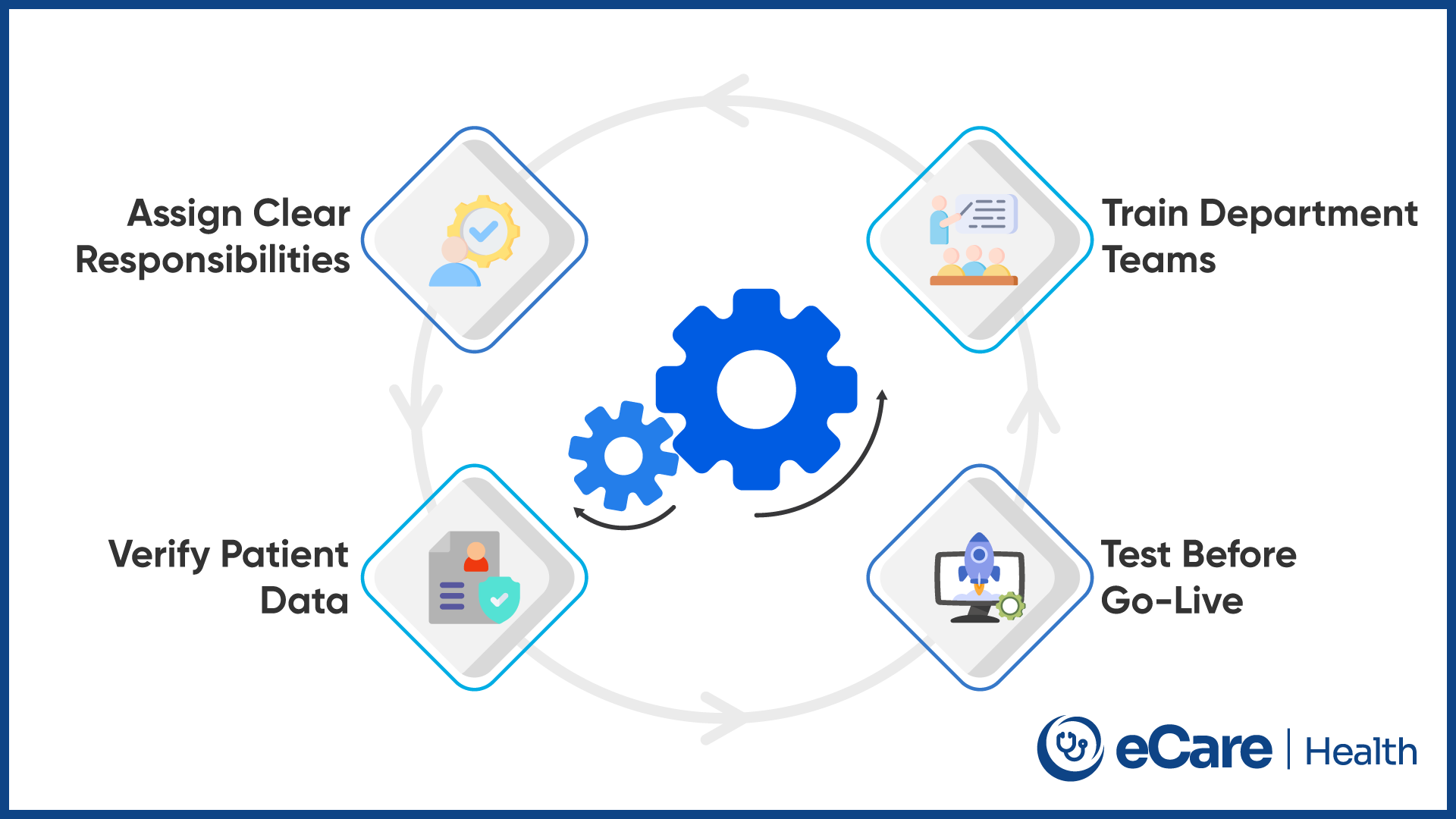
To overcome implementation problems, your team needs to address potential problems before they affect daily work. Instead of waiting until go-live to resolve issues, your practice can take the following measures during preparation:
- Keep implementation responsibilities clear: Assign an owner to every major task, from system configuration and data migration to testing and go-live. Set deadlines, define readiness criteria, and establish a way to escalate delays so unresolved tasks don't hold up the entire project.
- Check patient data before and after migration: Clean existing records, remove duplicate entries, and map old data fields to the correct locations in the new EHR. Test the process with a sample of records first, then have appropriate staff verify the results and resolve discrepancies before completing the full migration.
- Create department-level training support: Select experienced users from clinical, administrative, and billing teams to receive additional training. These employees can guide colleagues through routine tasks, answer questions, and report recurring problems to the implementation team.
- Practice real-world scenarios before launch: Have staff rehearse patient registration, appointment check-in, clinical documentation, ordering, and billing. Also, simulate common technical issues and review downtime and escalation procedures so employees know how to respond if something goes wrong.
Taking these steps before launch gives the practice more opportunities to identify gaps, support staff, and resolve technical problems before they affect everyday operations.
What Problems Can Occur During EHR Go-Live?
After launch, the first few days can be challenging as your staff begin to use the system for actual patient visits. Unexpected technical issues or unfamiliar workflows can affect your daily operations even after testing and training. These EHR go-live problems can not only influence staff productivity, but also the patient experience, particularly during the first two weeks.
| Common go-live problem | How it can affect daily operations |
|---|---|
| Login and Access Problems | Incorrect account settings, user permissions, or authentication issues may prevent staff from accessing patient records or completing essential tasks. |
| Data and Integration Errors | Missing records, incorrect information, synchronization delays, or failed connections can interrupt access to patient information across systems. |
| Patient Check-In and Scheduling Delays | Staff may take longer to register patients, confirm appointments, and complete check-in procedures, creating delays at the front desk. |
| Clinical Workflow Disruptions | Unfamiliar screens, templates, and task sequences may slow documentation and make it harder for clinicians to complete routine activities. |
| Insufficient On-Site Support | Without timely assistance, staff may struggle to resolve technical problems or understand unfamiliar functions, allowing minor issues to affect more users. |
Managing the Initial Go-Live Period
The first 1–14 days deserve particular attention. Practices can establish a dedicated go-live support team or command center to manage incoming issues and coordinate responses. Each reported problem should have an assigned owner, a clear escalation path, and a status update until it is resolved.
It's also important to separate urgent patient-care issues from routine usability questions. Problems that affect access to critical patient information or essential clinical workflows should receive immediate attention, while less urgent questions can be handled through regular support channels.
This approach helps practices respond to problems quickly, keep staff informed, and manage the initial transition with fewer disruptions.
How Can Healthcare Practices Reduce Long-Term EHR Implementation Risks?
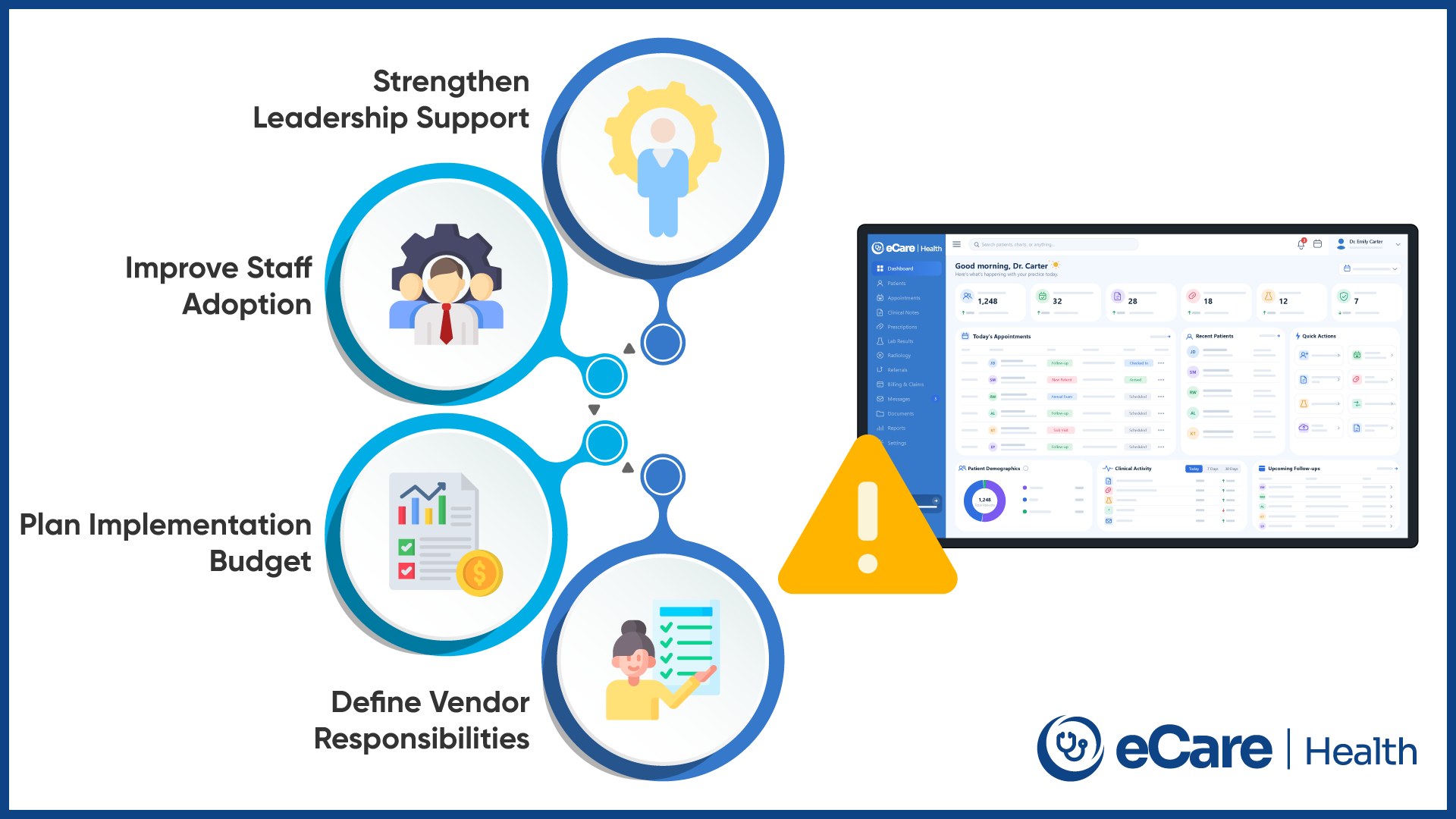
Along with resolving go-live issues, your practice also needs to consider what could affect the system after launch. If not addressed earlier, leadership decisions, staff adoption, budget limitations, and vendor dependencies can create long-term EHR implementation barriers.
Executive leadership should establish clear ownership of the implementation, define decision-making authority, and provide support for project priorities. When responsibilities are clear, teams can resolve delays, make timely decisions, and keep implementation activities aligned with the practice's goals.
Staff preparation also needs to continue beyond initial training. Communicating why workflows are changing, involving employees in the transition, and gathering their feedback can help address EHR adoption challenges. Practices should monitor how comfortably staff use the system after launch and provide additional guidance where needed.
Budget planning is equally important. In addition to software costs, practices should account for implementation services, data migration, integrations, training, contingency funding, and post-launch support. Having sufficient resources and staff time available can help prevent unexpected expenses and reduce pressure on daily operations.
Finally, practices should clearly define vendor responsibilities through the contract and service-level agreements (SLAs). These should cover support availability, response and resolution targets, escalation procedures, and responsibilities for migration and integration. Regular milestone reviews and contingency plans for delayed deliverables or postponed go-live dates can also help practices manage vendor-side dependencies.
Addressing these organizational and contractual factors helps practices maintain better control over implementation and supports the long-term adoption of their EHR system.
How eCareHealth Can Help Address EHR Implementation Challenges
Addressing EHR implementation challenges requires more than selecting the right software. Healthcare practices also need a system that fits their workflows, supports data migration, and helps staff adapt to new processes. eCareHealth brings together several clinical and administrative capabilities that practices can consider when planning their EHR transition.
A Unified Platform for Clinical and Administrative Workflows
eCareHealth combines EHR, Practice Management, and Revenue Cycle Management (RCM) capabilities within one platform. Bringing these functions together can help practices reduce the complexity of coordinating multiple systems and manage clinical and administrative workflows more efficiently.
Managed Data Migration and Onboarding
Data migration and staff preparation are important parts of any EHR transition. eCareHealth's migration and onboarding support can help practices prepare for the change, organize patient data transfer, and familiarize staff with the new system before go-live.
Specialty-Specific Workflows and AI-Assisted Documentation
With specialty-specific templates and AI-assisted documentation capabilities, eCareHealth aims to support different clinical workflows. These features can help providers organize documentation around their specialty requirements while reducing repetitive administrative work.
Connected Clinical Tools
Features such as e-prescribing and laboratory connectivity help bring essential clinical activities closer to the EHR workflow. This can reduce reliance on disconnected tools and support smoother information exchange across care processes.
Conclusion: Understanding the Full Cost of an EHR System
EHR implementation involves more than installing new software. Challenges such as data migration, system integration, workflow disruption, staff adoption, and go-live issues can affect how smoothly a practice transitions to a new system.
Addressing these risks requires proper technical planning, staff training, leadership support, and clear accountability from the EHR vendor. The right preparation can help healthcare practices manage the transition more effectively and make better use of their EHR system.
If your practice is planning an EHR implementation or looking to improve its existing workflows, connect with our experts to discuss your requirements and explore a solution that fits your needs.
Frequently Asked Questions (FAQs)
1. How long does a typical EHR implementation process take?
A typical EHR implementation can take three to six months, depending on the practice size, system complexity, data migration needs, and customization requirements. Larger healthcare organizations or practices with multiple locations may need more time for planning, testing, staff training, and go-live preparation.
2. What is the role of an EHR super-user during go-live?
An EHR super-user is a trained staff member who helps colleagues navigate the new system during go-live. They answer basic questions, assist with workflow issues, report technical problems to the implementation team, and help staff become comfortable using the EHR.
3. How can healthcare practices prevent data migration errors during EHR implementation?
Practices can reduce data migration errors by reviewing existing records, cleaning duplicate or incomplete data, mapping fields correctly, and validating transferred information. Testing sample records before full migration and checking data accuracy after transfer can also help identify issues early.
4. How can practices keep patient check-in delays to a minimum during EHR go-live?
Practices can minimize check-in delays by training front-desk staff in advance, testing registration workflows, and preparing patient information before go-live. Keeping backup procedures ready and assigning support staff to handle questions can also help maintain smoother patient check-ins.
5. What should an EHR go-live support team monitor during the first two weeks?
The support team should monitor system performance, login issues, documentation errors, data accuracy, integration problems, and delays in clinical or administrative workflows. They should also track staff feedback, unresolved support requests, and recurring issues to identify problems that need immediate attention.
6. How can leadership improve staff adoption of a new EHR system?
Leadership can improve staff adoption by involving employees in implementation planning, communicating workflow changes clearly, and arranging role-specific training. Encouraging feedback, addressing concerns, and providing ongoing support after go-live can help staff adjust to the new system.
7. What should healthcare practices include in an EHR vendor support agreement?
An EHR vendor support agreement should outline support availability, response and resolution times, escalation procedures, maintenance schedules, system updates, data backup responsibilities, and integration support. Practices should also clarify service expectations, responsibilities, and the process for handling critical issues during and after go-live.