Best EHR Software for Small Practices in 2026: A Practical Buyer’s Guide
A busy clinic can lose valuable time on small, everyday tasks; in fact, the American Medical Association (AMA) reported that physicians waste an average of 15 to 20+ hours per week on administrative and desk work.
For example, your staff may spend extra minutes searching for patient records, correcting entries, or moving between different tools. When your team is small, all these delays can affect your entire day. And if you choose the wrong EHR system, problems can add on, along with unexpected expenses.
However, it’s not easy to find software that fits the way your small practice works. Some systems might cost more than your clinic can afford; on the other hand, others may lack essential features or take too much time to learn.
The best EHR for small practices must help your team manage daily tasks without adding any unnecessary costs or complexity. If your current system is no longer meeting your needs, it is important for you to understand how switching EHR systems can help you plot your next move.
This guide will cover the key factors, including essential features, ease of use, pricing, integrations, and vendor support. It explains how to compare EHR for small medical practice options and find EHR software small practice solutions that fit your clinical workflows, budget, and staffing needs.
Why Do Small Medical Practices Need Specialized EHR Software?
In a small medical practice, the same team may handle patient records, appointments, clinical notes, and administrative work. Managing all these tasks across separate tools can really become time-consuming and make your daily operations harder to coordinate.
With the right EHR software, it becomes easier to bring all of these tasks together in one place. Let’s see how:
Manage Daily Tasks in One System
An EHR helps your staff maintain patient records and allows providers to document visits, review medical histories, and update treatment plans. Depending on your system, it also supports appointment scheduling, prescription management, and other routine tasks.
Having all these functions connected can reduce the need to switch between applications.
Keep Workflows Simple
It is a fact that small practices may not have their own dedicated IT teams or extra staff for managing complicated software. If a system has clear navigation and easy-to-use features, employees can easily learn routine tasks and complete them with fewer unnecessary steps. This gives more time for patient care and other responsibilities.
Avoid Unnecessary Complexity
Large healthcare organizations might require extensive features and complex workflows that a small clinic rarely uses. Choosing an EHR for a small medical practice that matches your clinic’s actual requirements can help you to avoid paying for unnecessary features or making staff work through complicated processes.
Remember, the main goal here is to find a system that supports your current operations without making everyday work harder.
What Features Should an EHR for a Small Clinic Have?
Your small clinic does not require every feature available in the market. It actually requires the right tools for managing patient visits, maintaining accurate records, and handling routine administrative work.
While evaluating what features an EHR for a small clinic should have, always focus on the functions your team will use regularly.
| Essential feature | Why it matters for a small clinic |
|---|---|
| Patient records | Keeps patient details, medical histories, allergies, medications, and test results organized in one place. |
| Clinical documentation | Helps providers record symptoms, diagnoses, examination findings, and treatment plans using structured notes and templates. |
| Appointment scheduling | Helps staff manage bookings, track upcoming visits, and coordinate the daily schedule. |
| E-prescribing | Allows providers to send prescriptions electronically to participating pharmacies. |
| Billing support | Helps manage charges, payments, and claims, depending on the system’s capabilities. |
| Reporting | Provides information about patient visits, appointments, and practice operations to support routine decisions. |
| System integrations | Connects the EHR with relevant laboratories, pharmacies, and billing applications to reduce duplicate data entry. |
| Security and user permissions | Helps protect sensitive patient information by controlling who can access or change records. |
| Technical support | Gives staff access to assistance, troubleshooting, and training when they need help using the system. |
Additionally, separate all essential features from optional ones before choosing an EHR software small practice solution. Along with this, also confirm whether the required functions are included in the quoted price, whether integrations cost extra, and what support the vendor provides.
This can help you to select a system that meets your clinic’s requirements without paying for features your team may use rarely.
How Much Does EHR Software Cost for a Small Practice?
Even after offering similar features, two EHR systems can have very different prices. The difference mainly comes from how vendors charge, what their plans include, and which services cost extra. If you understand all these details before signing a contract, it becomes easy to prevent budget surprises later.
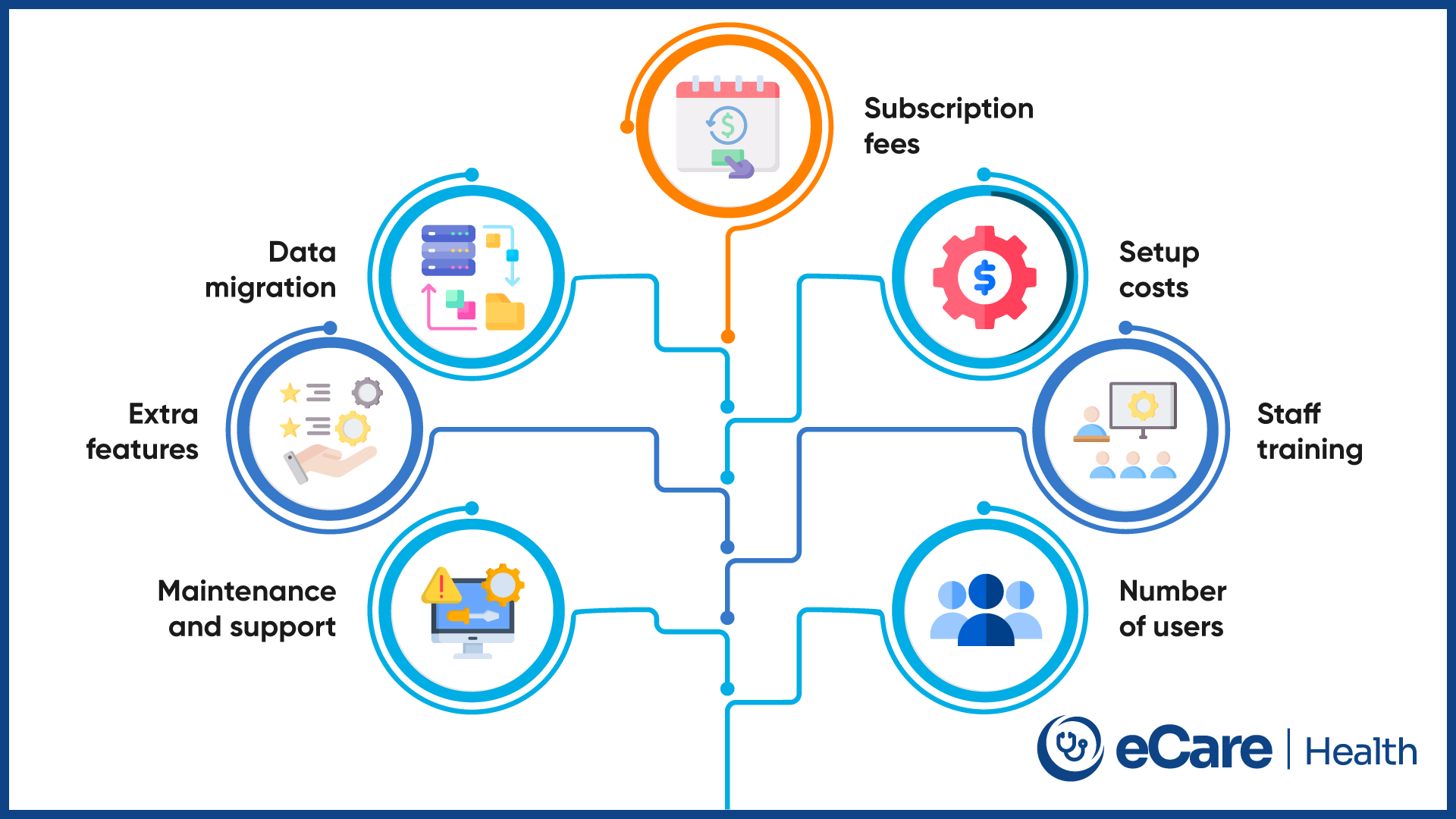
Many vendors charge per provider, while others calculate fees on the basis of the number. Subscription plans may require monthly or annual payments. Beyond these charges, a practice may need to budget for initial setup, transferring existing patient records, and training staff to use the new system.
The expenses may continue after implementation. Integrations with billing or laboratory systems, premium features, software maintenance, and certain support services can add to the price. These charges vary by vendor, so it is worth checking the contract carefully.
When comparing affordable EHR small practice options, ask vendors these questions before making a decision:
- Does the quoted price cover all providers and staff who need access?
- Are setup, data migration, and staff training included?
- Do essential integrations or additional features require separate fees?
- Are software updates and technical support included in the subscription?
- How much will the system cost over the next three to five years?
These questions help you estimate the total cost of ownership, rather than focusing only on the monthly subscription. The goal is to find software that fits your budget over time without leaving your practice paying extra for essential services.
How to Choose the Best EHR for a Small Medical Practice
Choosing an EHR becomes easier when you know what your practice needs. Before comparing vendors, consider how your clinic operates, which tasks take the most time, and what your team needs from the software. Here are five steps to guide your decision.
Step 1: Define Your Practice’s Needs
Start with your specialty, number of providers, and patient volume. A primary care clinic may need different templates and workflows than a dermatology or cardiology practice. List the tasks your team handles daily to identify the features that matter most.
Step 2: Compare Features and Ease of Use
Shortlist systems that offer the essential tools your practice needs. Ask providers and staff to test common tasks, such as finding patient records, documenting visits, and scheduling appointments. The software should be easy to learn and fit your daily workflow.
Step 3: Check Integrations and Data Access
Make sure the EHR works with the tools your practice already uses, such as billing software, laboratories, and pharmacies. Also, ask how you can access and export patient records if you decide to change vendors in the future.
Step 4: Evaluate Implementation and Support
Find out how long setup may take, what assistance is available for data migration, and how staff training is handled. Ask about technical support hours and expected response times so your team knows where to turn when problems arise.
Step 5: Review Pricing and Contract Terms
Before signing, check subscription fees, additional charges, contract length, renewal conditions, and cancellation terms. Understand the process and costs involved in moving your data if you switch systems later.
Following these steps can help you narrow down the best EHR for small practices based on your actual needs rather than choosing a system based on price or features alone.
Why Small Practices Are Choosing eCareHealth
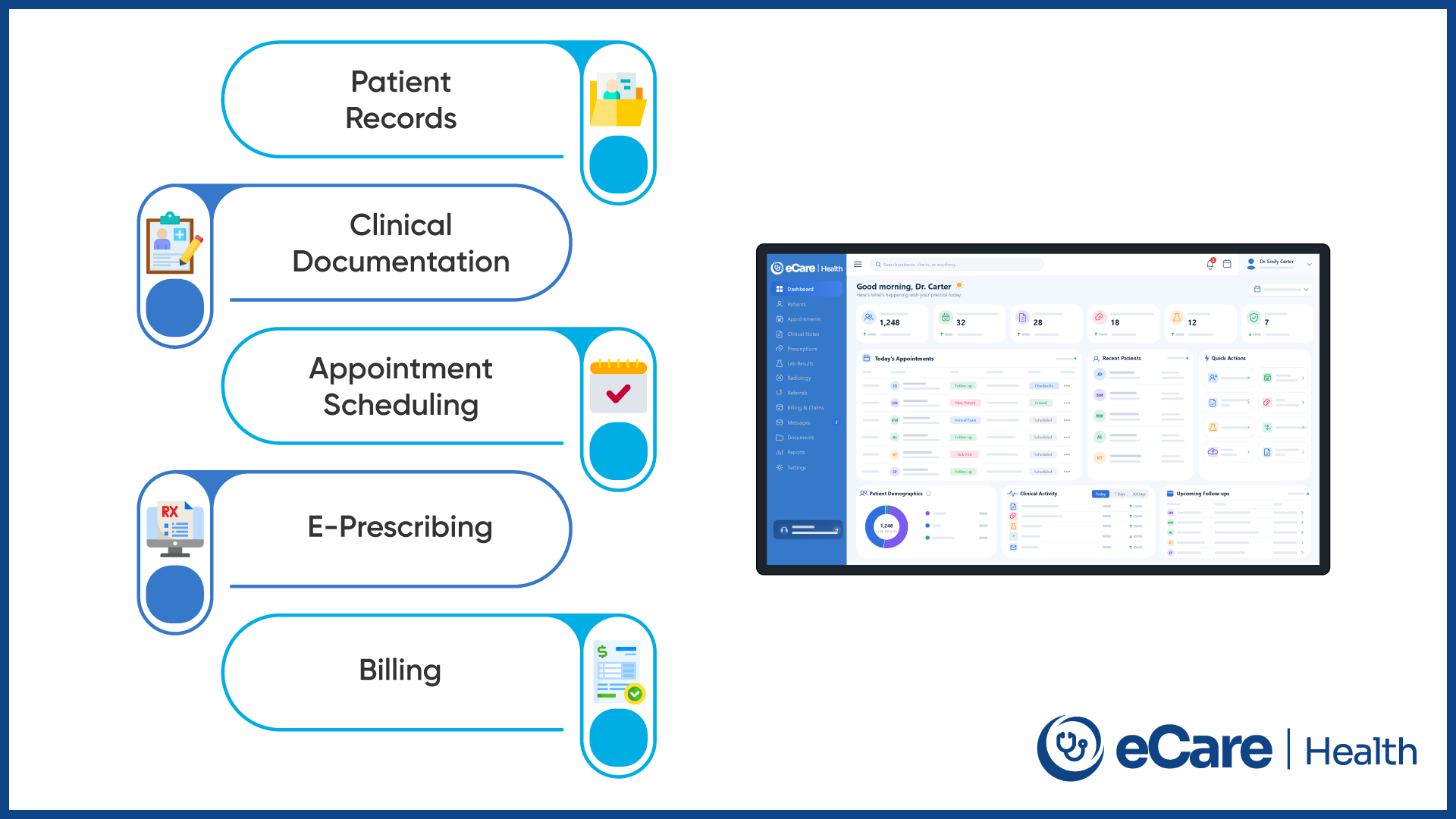
For a small clinic, managing patient records is just one part of the job. Staff also need to handle appointments, billing, prescriptions, and clinical documentation. When these tasks involve multiple applications, keeping everything organized can become difficult.
eCareHealth offers an EHR and practice management platform that brings several clinical and administrative functions together. Its capabilities include patient record management, clinical documentation, appointment scheduling, e-prescribing, billing, and telehealth. Specialty-specific templates can also help providers document visits according to their clinical needs.
AI-assisted documentation is another feature worth exploring. eCareHealth offers an AI scribe designed to help turn clinical conversations into structured notes. For providers who spend significant time documenting visits, this may be useful to evaluate as part of their workflow.
However, choosing an EHR involves more than reviewing its feature list. Small practices should consider how easily staff can learn the software, what implementation and data migration involve, and how responsive the vendor’s support team is. Pricing, contract terms, and additional charges also need careful review.
If you’re comparing EHR software for small practice options, eCareHealth is one platform to assess against your clinic’s requirements. A demo can help you determine whether its features, usability, and costs are a suitable fit for your practice.
Conclusion: Understanding the Full Cost of an EHR System
Choosing the best EHR for small practices comes down to finding software that fits your clinic’s daily needs without stretching your budget. Consider the essential features, ease of use, integrations, vendor support, and total cost before making a decision. The right system should support your current workflows while giving your practice room to grow.
Want to explore whether eCareHealth fits your practice? Request a consultation to discuss your requirements and available options.
Frequently Asked Questions (FAQs)
1. What is the best EHR for small practices in 2026?
The best EHR depends on a practice’s specialty, budget, patient volume, and daily workflows. Look for essential features, easy navigation, reliable support, and integrations with existing tools. Request a demo to see whether the system meets your practice’s needs.
2. How much does EHR software cost for a small medical practice?
EHR costs vary by vendor, pricing model, number of users, and available features. Practices may also pay for setup, data migration, staff training, integrations, and support. Compare the total cost over several years rather than focusing only on the monthly subscription.
3. How can a small medical practice choose the right EHR?
Start by identifying your clinical and administrative needs. Compare essential features, usability, pricing, integrations, data access, and vendor support. Ask staff to test shortlisted systems and review contract terms before making a final decision.
4. Is cloud-based EHR software suitable for small clinics?
Yes, cloud-based EHR software can suit small clinics because authorized users can access records over the internet without managing all the underlying server infrastructure themselves. However, practices should evaluate internet reliability, security controls, data backup policies, and vendor support.
5. How can small practices find affordable EHR software?
Compare vendors based on essential features, subscription fees, implementation costs, and ongoing support charges. Ask about additional fees for users, integrations, and premium features. Choosing a system that meets your actual needs can help avoid unnecessary spending.
6. What should a small practice consider before switching EHR systems?
Before switching, review data migration, compatibility with existing tools, staff training, implementation timelines, and contract terms. Confirm that patient records can be exported in a usable format and plan the transition carefully to minimize disruption to daily operations.